archeus documentation
The memory and workspace layer for AI coding agents. This is the manual: everything archeus does, how to configure it, and what each part costs you per turn. Claude Code is the agent it drives today.
New here? Getting started explains what archeus is and which of its three surfaces you want. In a hurry? Quickstart is install to first session in five minutes.
Which archeus is this?
The Python memory and workspace layer for AI coding agents — pipx install archeus,
source at github.com/babarmuhammad/archeus,
published on PyPI. The word itself is
Paracelsus' name for the vital force that organises living matter, which is why a
search for it also finds dictionaries and alchemy. It is not Arceus, Nintendo's
Pokemon, which is spelled with the vowels the other way round. archeus is not
affiliated with, endorsed by, or supported by Anthropic.
Install & first run
| Getting started | what it is, the three surfaces, where to go next |
| Installation | pipx, pip, a checkout, the desktop window, Windows shortcuts |
| Quickstart | the five-minute path from nothing to a first session |
The interfaces
| Command line | every command — workspace status, recall, review, sync-accounts, statusline |
| Terminal UI | every screen, the loops, and the complete key map |
| Desktop app | the same workspace as a local app — 32 palettes, 8 skins, 4 worlds |
| Claude Code plugin | three slash commands and eight skills inside the session |
Working with projects
| Configuration | every file archeus reads and writes, and where |
| Projects | health checks, auto-fixes, and whether generated context still matches the repo |
| Sessions | browse, search, tag, fork, resume, archive, export |
| Project memory | the memory graph and its three token-budgeted injection surfaces |
| Architecture graph | the interactive dependency view, repo down to single files |
| Usage & cost | what a turn costs across every surface, and how to cut it |
| Troubleshooting | when something does not work |
Reference
| API reference | the local HTTP API the desktop app is built on, generated from the route tables |
| Download | every way to get it, what a release contains, versioning |
| Multiple accounts · Context hand-off | more than one Claude account, and moving a session between them |
| MCP servers · Agents & skills · Hooks | Claude Code integration |
| Plan → Execute · Status line & failover | model routing and what runs per turn |
| Files, layout & encoding | CLAUDE.md generation and how project paths are encoded |
| Project dashboard | release version, downloads, stars, test count, commit activity |
Terminal or desktop, same engine
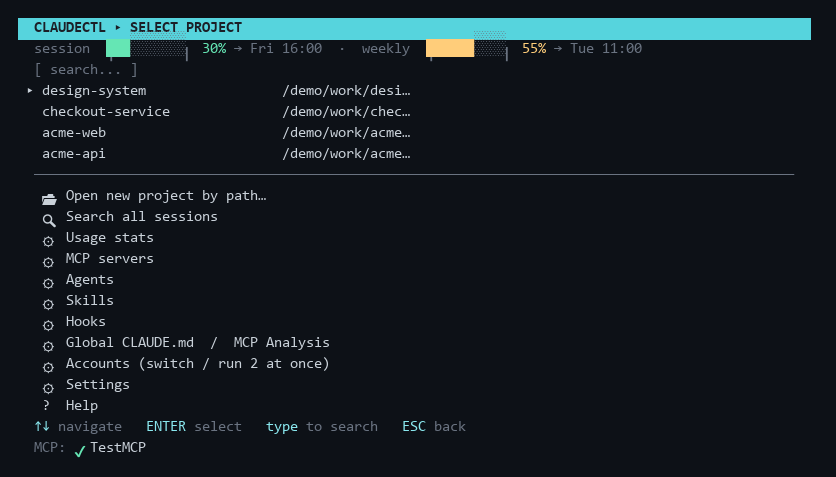
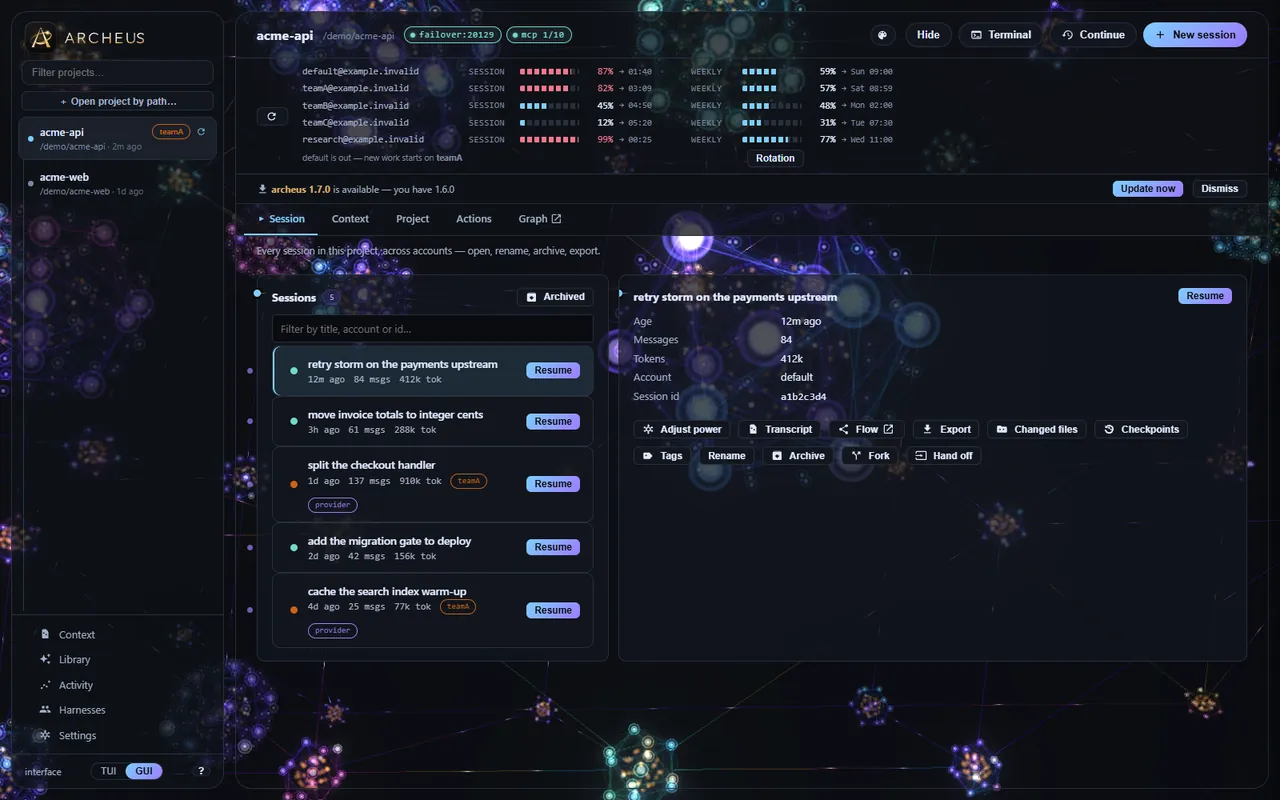
Looking for the product pitch, the feature tour or the comparison instead? That is on claudectl.space — along with the blog, which is where the longer write-ups live: why Claude Code forgets a project between sessions, what belongs in CLAUDE.md, cutting the per-turn token cost, and running more than one account.
The policies covering both sites live there too, in one copy rather than two: privacy, terms, cookies — there are none — and refunds. Neither site collects anything from you; the privacy page says what the web hosts log anyway, and why.